What makes the 3333net app different — a detailed look
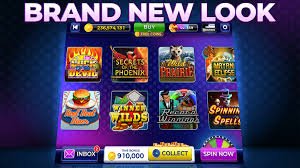
Demand for online gaming in Bangladesh is growing every day. People now prefer playing on their phones over sitting in front of a laptop. 3333net understands this and has made its mobile app a top priority — it's not just a mobile version of the website, but a fully native app built from the ground up to take complete advantage of everything your phone has to offer.
App vs. mobile browser — which is better?
Many people assume playing in a browser is the same as using a dedicated app. In practice, the difference is significant. Games load faster in the app because some resources are already stored on your phone. The browser reloads everything from scratch each time and uses more data. Browsers also have limitations with notifications — push notifications arrive instantly in the app.
Biometric login isn't possible on a browser, but the 3333net app fully supports it. Browser tabs can sometimes refresh during long gaming sessions — the app doesn't have that problem. Overall, the app is the more convenient choice for regular players.
| Features |
3333net App |
Mobile Browser |
| Loading Speed |
Fast |
Slow |
| Biometric Login |
✓ |
✗ |
| Push Notifications |
✓ |
Limited |
| Offline Content |
Partial |
✗ |
| Data Usage |
Low |
More |
| Screen Stability |
Stable |
Refresh Issue |
Step-by-step APK installation guide for Android
Installing the 3333net Android APK is straightforward. Go to your phone's Settings menu, then find Security or Privacy and look for "Install Unknown Apps" or "Unknown Sources". The exact location varies by device — on Xiaomi it may appear as "Install via USB", and on Samsung as "Install Unknown Apps".
Once permission is granted, download the APK file. When the download finishes, tap the notification to bring up the install prompt. Tap "Install" and wait a moment. Once installed, tap "Open" and log in to your 3333net account.
Warning: Always download the APK from 3333net's official channels only. APK files downloaded from third-party websites may put your phone and personal information at risk.
Games available on the app
The 3333net app offers nearly all the games available on the website. The Live Casino section lets you play baccarat, roulette, blackjack, and more with real dealers. The slots section features hundreds of titles across different themes. Sports Betting covers cricket, football, tennis, and other sports with live odds.
Games load noticeably faster in the app than in a browser. On a 4G connection, most games are ready to play within 3 seconds. Live Casino video streams are much smoother in the app — less buffering, better picture quality.
Bonuses and promotions on the app
3333net app users occasionally receive exclusive mobile-only bonuses, usually delivered via push notifications. Keeping notifications on means you won't miss any offers. Everything from welcome bonuses to reload bonuses can be activated directly through the app.
Pro Tips: Keep push notifications on in the app. Flash bonus offers are sometimes available for just a few hours — without notifications, you'll miss them.

Withdrawals on the app — the fastest way
Many players find withdrawals easiest through the app. After logging in with biometrics, the cashier section opens in a single tap. Once your Mobile Banking, Nagad, or Rocket number is saved, all you need to enter next time is the amount.
Once a withdrawal request is submitted, the app sends an instant confirmation notification. When the transaction is complete, you'll receive another notification. There's no need to keep checking your transaction history — the app keeps you informed. For more details on withdrawals, Withdrawal page View.
App security features
The 3333net app uses multiple layers of security. All communication is protected by SSL/TLS encryption. The app locks automatically when sent to the background. Logging in from a new device triggers email or SMS verification.
Never share your account password with anyone. The 3333net support team will never ask for your password. If someone claims to be from 3333net and asks for it, that's a phishing attempt — report it to support immediately.
How to update the app
When a new update is available, the app will notify you automatically. On Android, you'll receive a notification — just download the new APK and install it over the existing one. Your data and settings will remain intact. On iOS, if automatic updates are enabled in the App Store, the app will update on its own.
Using an outdated version may cause some games or features to not work properly. It's best to update as soon as a new version is available. Updates are typically small in size and complete within just a few minutes.
What to Do If You Run Into Issues
If you run into any issues installing or using the app, start by fully closing the app and reopening it. If the problem persists, restart your phone. If it still isn't resolved, uninstall the app and download it again — your account data will not be lost.
If login fails, go to the browser and On the login page and reset your password. Then log in to the app with your new password. If the issue persists, contact 3333net's 24/7 support chat — they can resolve it quickly.